summary
In dynamic mechanical testing, the DIC system often needs to work in conjunction with external equipment such as testing machines, impact devices, and vibration tables. If the timing of image acquisition is out of sync with the actions of external equipment, the test data will not correspond, and it will be difficult to make cross-sectional comparisons between multiple sets of repeated tests.
The DIC external trigger phase-locked loop function can be connected to external trigger signals. The DIC software obtains the acquisition frequency of the external device in real time, and uniformly locks the position of the first frame image to ensure that multiple tests start acquisition from a fixed position. At the same time, the interface displays the acquisition frame rate in real time to ensure the validity of data from dynamic and repeated tests.
I. What is the DIC phase-locked loop function?
In many dynamic experiments, the DIC camera does not acquire data independently; it needs to synchronize with the action rhythm of external devices to capture images. External trigger phase-locked loop (PLL): This is the functional module in the DIC system used for timing alignment with external devices.
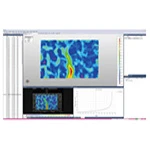
After the DIC system receives an external trigger signal, the DIC software can read and follow the frequency of the external signal in real time to complete image acquisition. The function supports locking the position of the first frame image, ensuring that each repeated test starts recording images from the same reference position. The software interface can display the current actual acquisition frame rate in real time, facilitating engineers' on-site assessment of the acquisition status.
II. Applicable scenarios for DIC phase-locked loop function?
1. Multiple sets of repeated comparative tests : Under the same working conditions, multiple rounds of repeated tests should be carried out. It is necessary to ensure that the starting reference of the test image acquisition in each round is consistent, so as to facilitate �the lateral comparison of multiple sets of stress-strain curves and deformation fields.
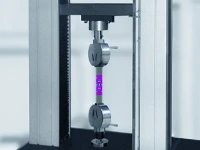
2. Multi-device linkage dynamic test : Linked with impact testing machine, fatigue testing machine, and vibration table, DIC image acquisition needs to be started synchronously following the trigger signal output by external devices;
3. High-speed dynamic operating condition debugging : During the on-site debugging phase, it is necessary to visually check the actual operating frame rate of the system to confirm whether it meets the sampling requirements of the test, and promptly identify signal packet loss and acquisition anomalies;
4. Tests with strict timing requirements : such as cyclic loading and periodic fatigue tests, which require that the image capture time corresponds strictly one-to-one with the equipment load signal.
III. Operating Procedures
1. Complete the hardware wiring, connect the trigger output signal of the external device to the trigger acquisition interface of the DIC system, and confirm that the signal output level and interface protocol are compatible.
2. Open the DIC software, enter the data acquisition parameter configuration page, and enable the external trigger phase-locked loop mode;
3. Connect external devices, the software reads external trigger signals, completes frequency phase-locked synchronization, and establishes timing association between external devices and cameras;
4. Enable the first frame position locking function and set a unified acquisition starting reference to ensure that every subsequent experiment starts acquisition from this fixed position.
5. Pre-trigger trial run: Observe the real-time acquisition frame rate displayed on the software interface to confirm that there are no frame drops or signal interruptions.
6. The test is officially started. The DIC system follows the external trigger signal to complete the image sequence saving, and the load signal is aligned with the image timing.
IV. Key Points of Practical Operation
· After wiring is completed, prioritize signal connectivity testing. If the trigger signal is unstable, first check the wiring and signal source output parameters to avoid missed or false triggering.
· When conducting repeated comparison tests, the phase-locked loop and first-frame locking functions must be kept enabled throughout the entire test batch, and the timing configuration should not be modified midway.
· The real-time frame rate is an important basis for judging the system status on site. When the actual frame rate is lower than the test set value, it is necessary to check for signal interference, camera bandwidth, and storage write speed.
· In test environments with electromagnetic interference, it is recommended to use shielded cables for triggering to reduce timing errors caused by external interference.
· After replacing the external testing equipment, it is necessary to re-verify the phase-locked loop synchronization; the previous configuration parameters cannot be directly reused.
V. Summary
The externally triggered phase-locked loop (PLL) module solves the timing synchronization problem when the DIC measurement system is linked with external devices. By receiving external trigger frequency signals, the camera can follow the external beat to acquire data, lock the reference position of the first frame of multiple tests, and provide real-time feedback on the acquisition frame rate.
In repeated tests, dynamic impact tests, and fatigue cycle tests, it can effectively ensure that the image sequence corresponds one-to-one with the load signal, greatly improving the comparability of multiple sets of test data.